Objective Key Results (OKR)
Track OKRs. Measure impact. Align teams.
Buy Now $5One-time Purchase · Lifetime Updates · Own It Forever
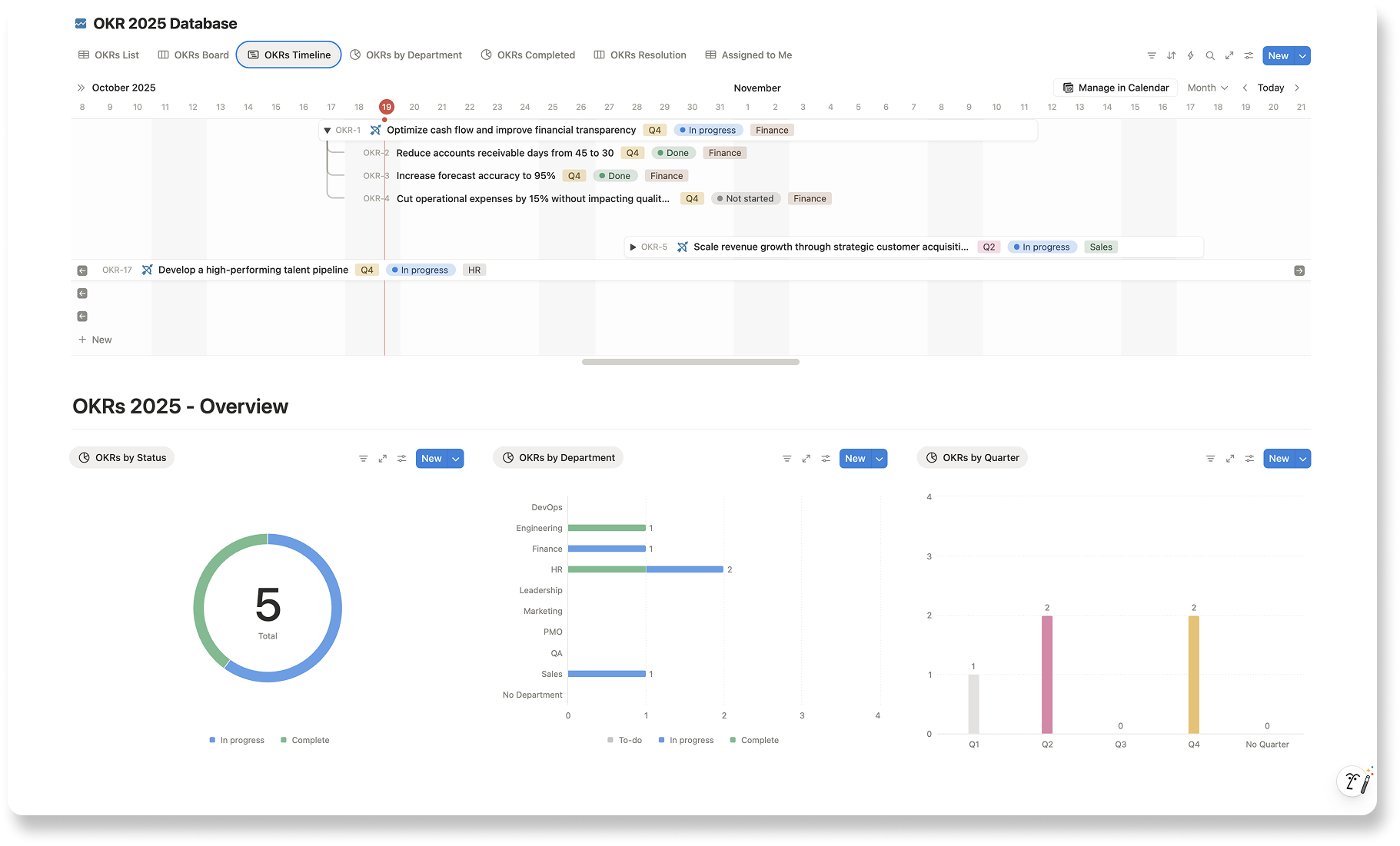
Track OKRs. Measure impact. Align teams.
Buy Now $5One-time Purchase · Lifetime Updates · Own It Forever

Define what success looks like.

Measure real progress, not busywork.

Keep everyone aligned on outcomes.
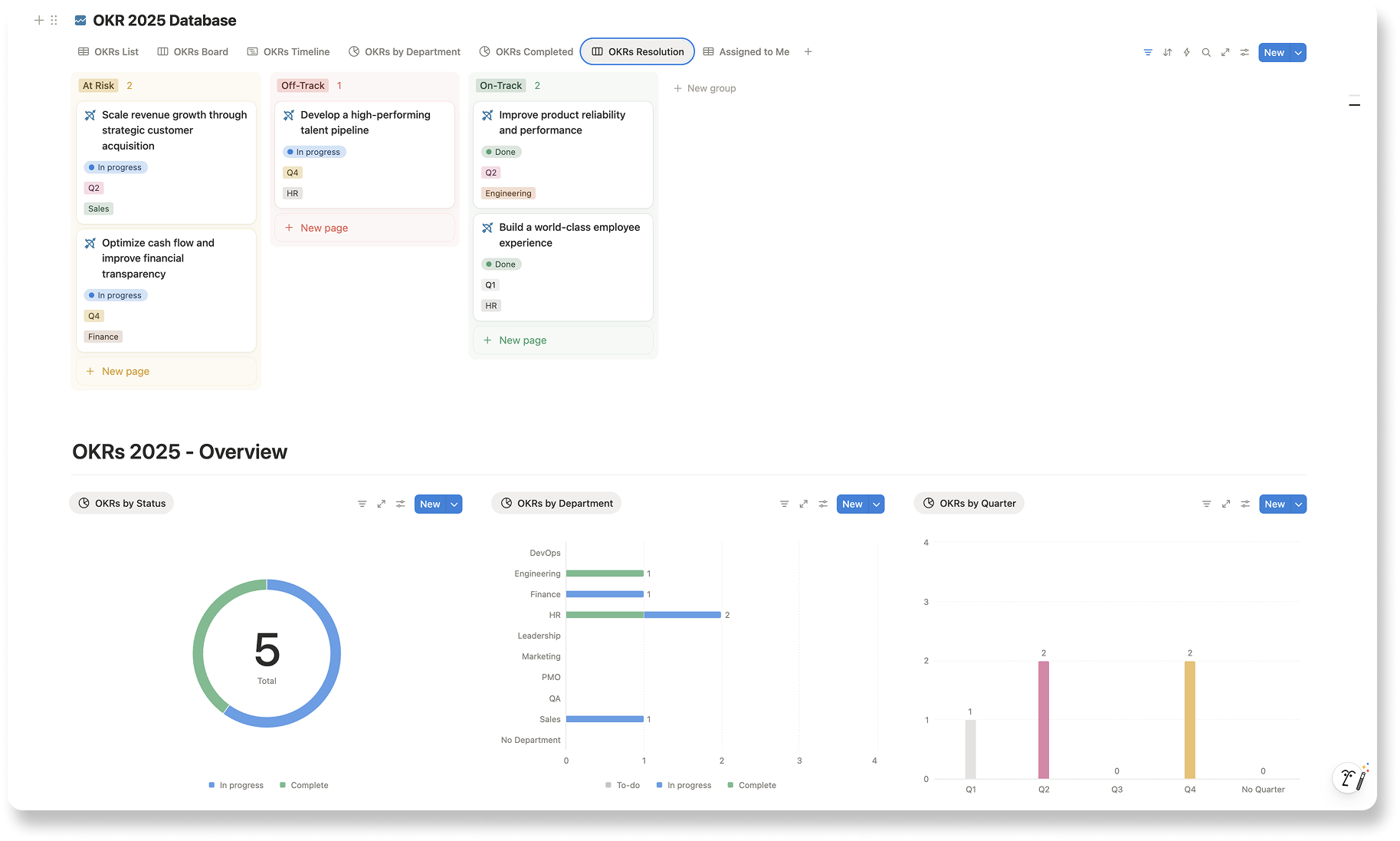
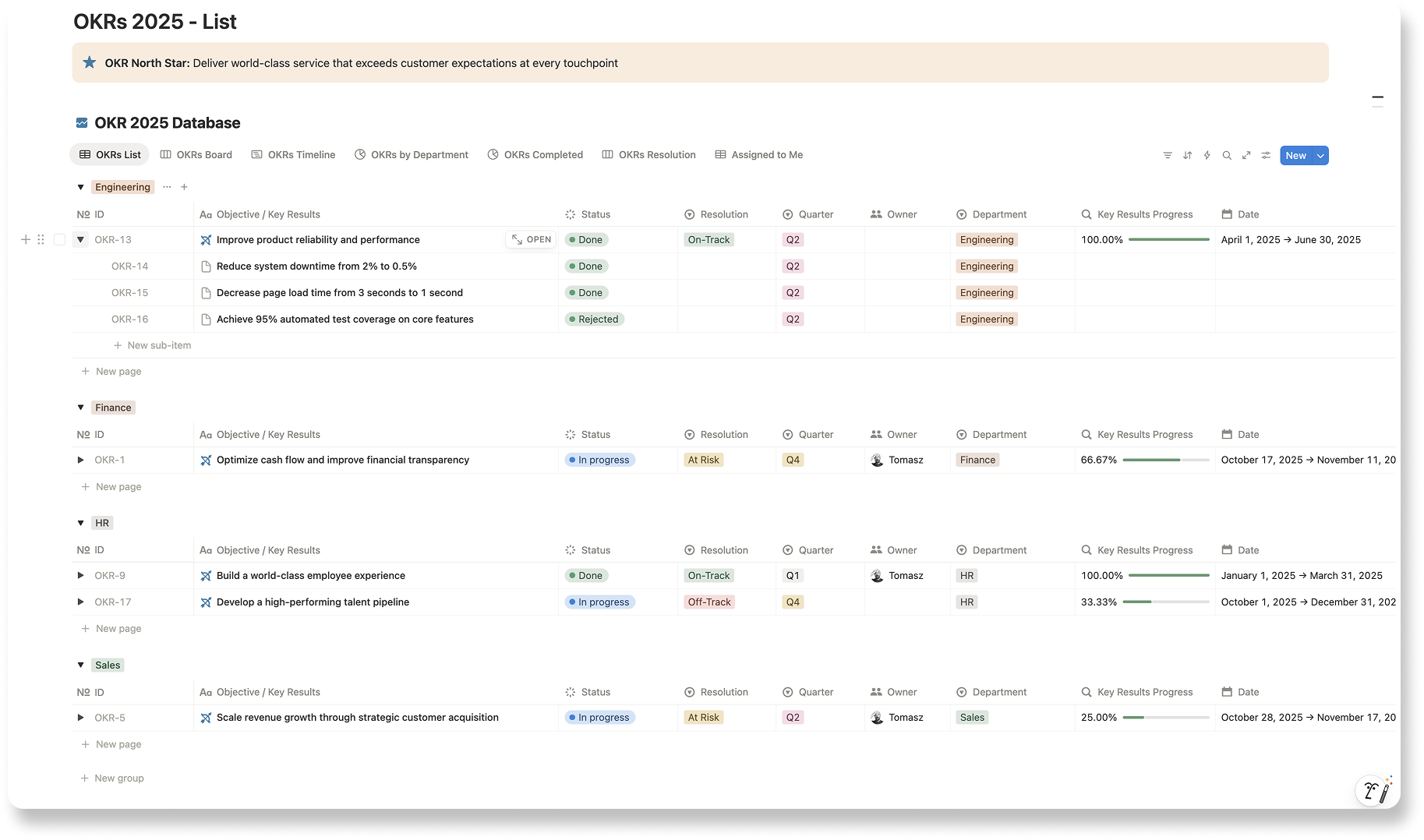
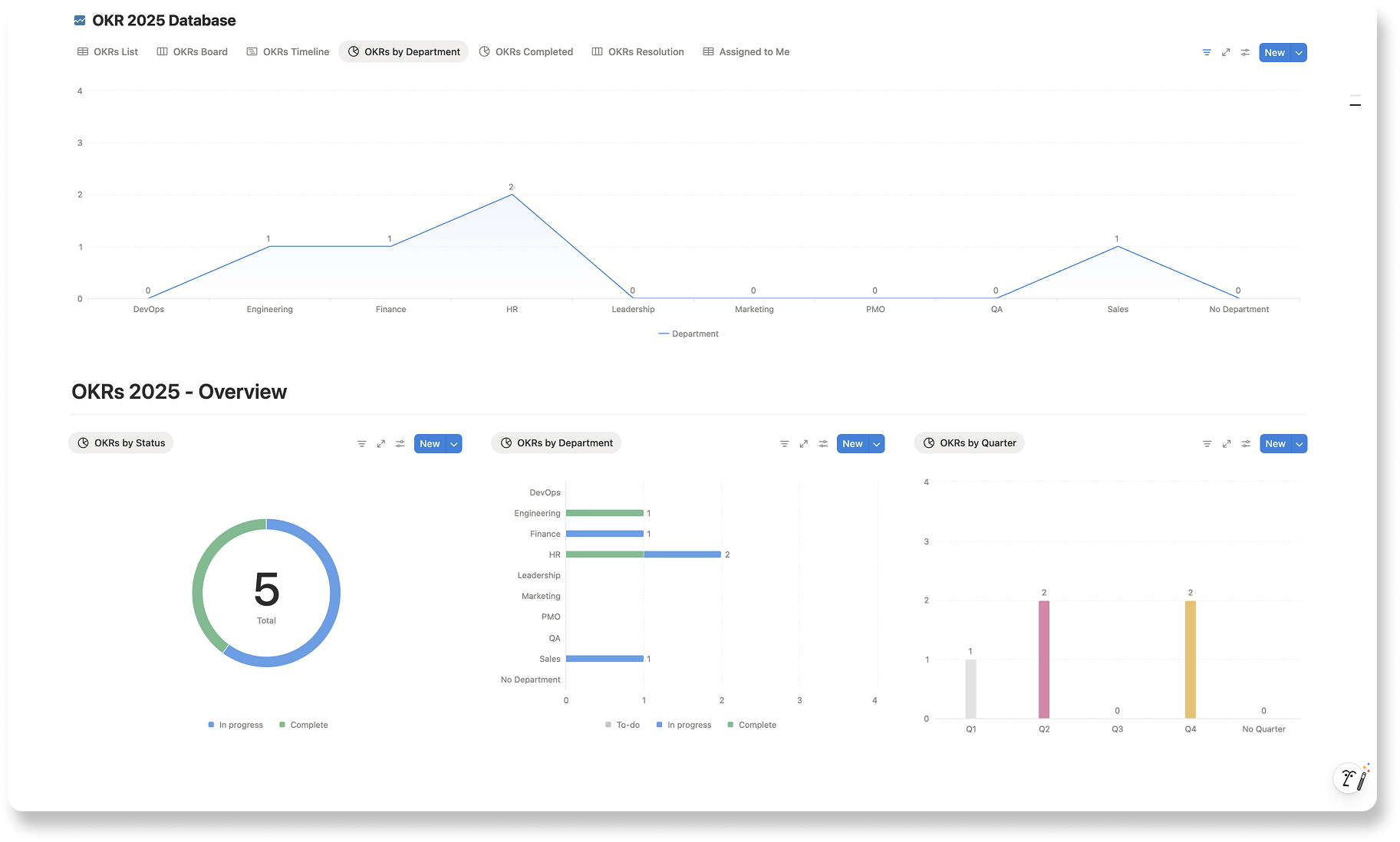
A lightweight OKR tracker that helps teams plan, execute and align with structure.


One-time Purchase · Lifetime Updates · Own It Forever
What users want to know before getting started?
Open the template link, then on the top right corner click "Duplicate" to move it to your Notion workspace. In your workspace you can start editing the template and make your own.
Yes, you can use this template with a free Notion account. However, a paid account offers more convenience with unlimited charts, automation, and access to Notion AI.
Absolutely! The Notion template is designed to be versatile and beneficial for managers across all industries, not just IT.
The principles of effective information management and task organisation are universal, making this template a valuable tool for any professional in a leadership position.
Yes, each template is fully customizable. You can adjust, add, or remove sections, databases, and pages to align with your team’s unique needs and workflows.
Notion’s flexible platform allows you to tailor the template to match your management style, organizational structure, and specific requirements.
The template includes an AI Summary elements designed to assist you with generating content.
If you have access to Notion's AI features, you can leverage it within the template to enhance communication and productivity.
Notion offers limited free AI responses. If you reach the limit you need to get the Notion AI add-on.
No worries! Template is designed to be user-friendly, even for those new to Notion.
Once you duplicate the template into your workspace, you can start exploring and using it immediately.
On the official Notion website, you can find plenty of guides on how to use platform.
And if have any questions, we're here to support you every step of the way.


